
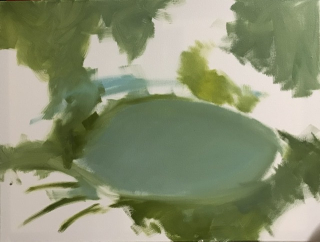
Last week the Mexican sinkhole/cenote looked like this:
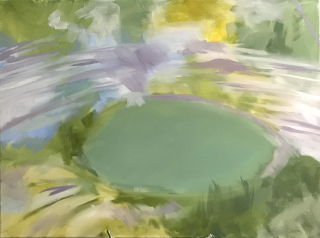
… and now it looks like this:
The lemons went from this ..
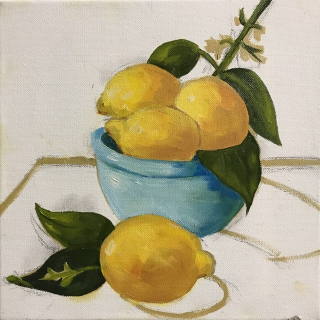
… to this finished version. I really don’t like my version. I got the blue colors wrong.
\
Here is what it’s supposed to look like:
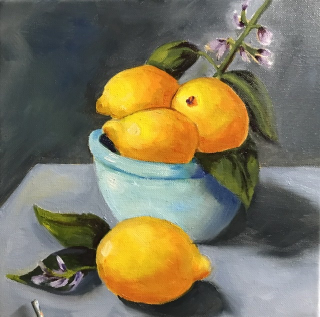
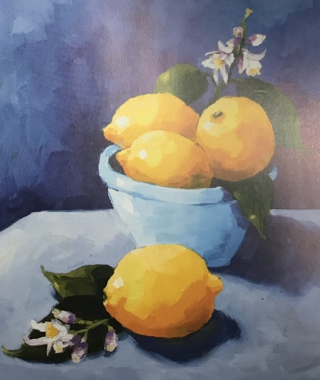
See how the lemons are all loose and chunky? I couldn’t do that. I even tried a new version and the lemons still don’t look loose and chunky. I might try just the lemons. They didn’t say to use the transparent colors, but those look transparent to me, or else I need to take the time to let every color dry.
Better idea, though, to move on. I’m doing these copies from the book to have some small successes, and if something isn’t a success, I should move on.
6 responses to “Weekly Paint Progress: 4/16 (free of Covid)”
Yeah, I… no clue. But the sinkhole is indeed looking great!
KC – what I find remarkable is that while I didn’t make the sinkhole lighter, adding the other colors makes it appear lighter.
That is fascinating. Usually I assume “I didn’t change its color, but it looks lighter” means that there’s *more* contrast around it – more darks, whatever – but in this case, that is not what happened? I think? So what *is* going on visually?
(because I totally agree, the sinkhole looks lighter now. But whyyyy?)
KC – I should be able to answer that question. But I cannot. I think what’s happened is what you describe: it looks l9ght next to something darker. Though I didn’t add anything really dark, what I did add is at least darker than the white background.
True, removal of blank canvas… but also lightening of various prior green splotches? I do not know…
KC – well, it’s all changed now, so hard to say.